
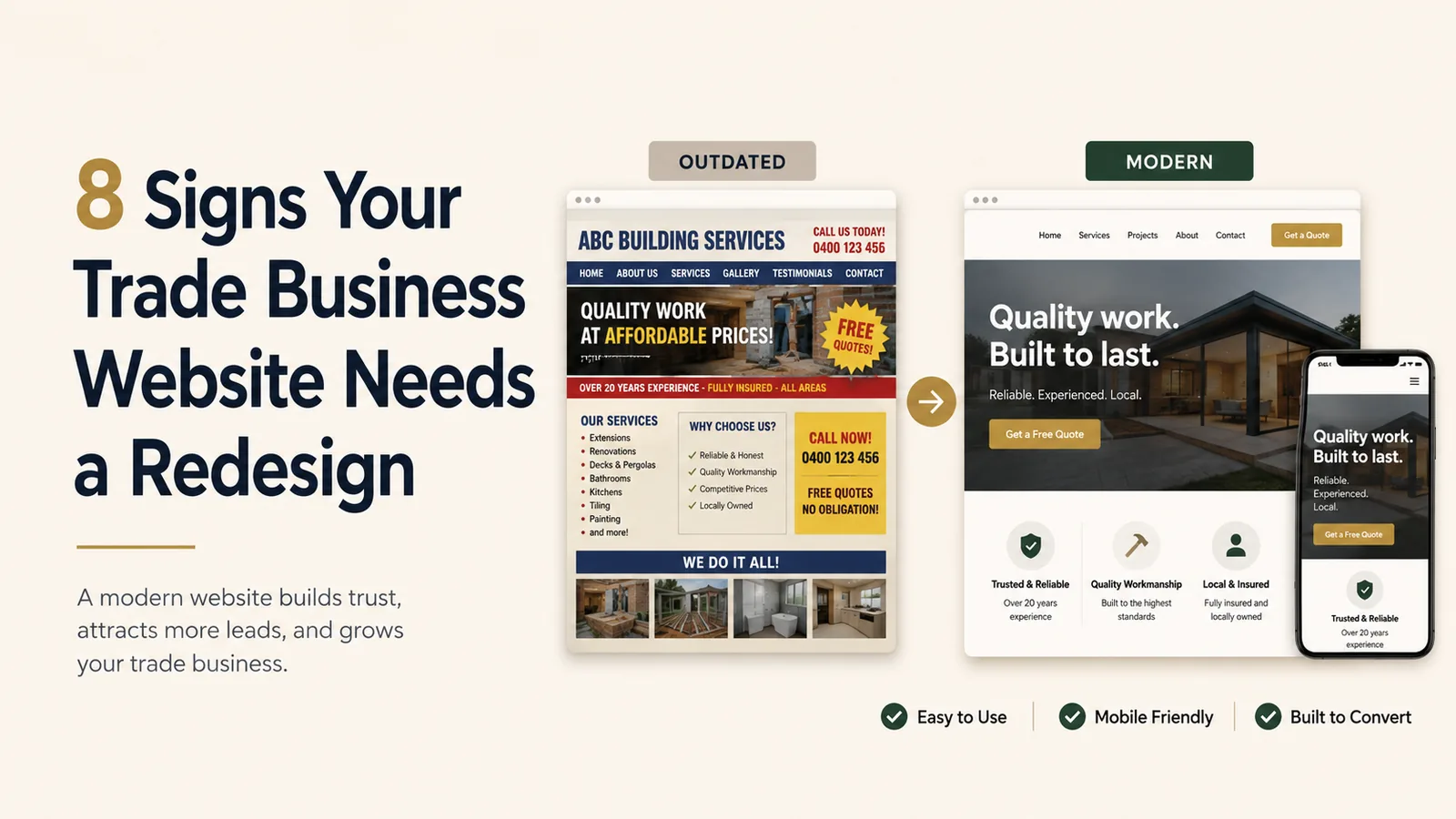
A website can continue loading for years while becoming less useful to customers.
The business changes. Services expand. Phones become the primary device. Competitors improve their websites. Forms stop working. Photos become outdated.
A redesign is not necessary every time a visual trend changes. But it may be time when the current site creates friction or no longer represents the company accurately.
Here are eight signs to watch.
1. The website is difficult to use on a phone
Open the site on several mobile devices.
Check whether:
- Text is readable
- Buttons are easy to tap
- The phone number is clickable
- Forms fit the screen
- Images load properly
- Menus are easy to use
- Content does not overlap
- Popups do not cover the page
If the website feels like a small desktop page squeezed onto a phone, it needs improvement.
Trade customers frequently search on mobile, especially during urgent situations.
2. The phone number is hard to find
A local service website should make contact easy.
If the phone number appears only in the footer or contact page, customers may leave before finding it.
The header should include a visible tap-to-call action. Important pages should also include a clear next step.
This is especially important for plumbers, electricians, HVAC companies, locksmiths, roofers, and repair businesses.
3. The homepage does not explain the services
Some older websites use a broad headline and a wall of company history but fail to show actual services.
A customer should quickly understand whether the business handles:
- The service they need
- Their type of property
- Their location
- Emergency or scheduled work
Important services should appear near the top of the page and link to more detailed information.
4. The website looks different from the current business
The business may have changed since the site was created.
Common mismatches include:
- Old logo
- Former phone number
- Outdated staff
- Discontinued services
- Incorrect service area
- Old pricing
- Expired promotions
- Old vehicles
- Former address
- Outdated certifications
A website that does not match the current company can create confusion and mistrust.
5. The site loads slowly
Slow loading can result from:
- Oversized images
- Autoplay video
- Too many plugins
- Old website builders
- Unnecessary scripts
- Poor hosting
- Broken integrations
- Heavy review widgets
- Unoptimized fonts
Customers may leave before the page becomes usable.
Performance is especially important on mobile connections.
A redesign can simplify the structure and remove technical baggage.
6. The forms are too long or do not work
Test every form.
Submit a real test inquiry and confirm that:
- The success message appears
- The email arrives
- The phone number is captured correctly
- Required fields make sense
- Spam protection works
- The form works on mobile
A broken contact form silently loses leads.
Long forms can also reduce completion. Ask only for the information needed to begin the conversation.
7. The website has no proof
A trade website should show evidence.
Useful proof includes:
- Real project photos
- Reviews
- Case studies
- Team photos
- Branded vehicles
- Credentials
- Guarantees
- Service process
- Years in business
A site filled only with generic stock photos and marketing claims may feel less credible.
8. You cannot update the website easily
The business should be able to update basic information without starting over.
You may need to change:
- Services
- Hours
- Photos
- Team members
- Service areas
- Reviews
- Promotions
- Financing details
- Contact information
If every small change is difficult, expensive, or impossible, the website platform or setup may no longer fit the business.
Additional signs of an outdated site
Other warning signs include:
- Browser security warnings
- Broken links
- Missing privacy policy
- Tiny copyright date
- Old Flash elements
- Inconsistent branding
- Duplicate pages
- No analytics
- No conversion tracking
- No search-friendly page titles
- No individual service pages
- No service-area content
- Empty blog
- Inactive social links
Not every issue requires a complete redesign. Some can be repaired. The decision depends on the website’s overall condition.
Redesign versus small updates
A small update may be enough when:
- The structure is strong
- The platform is current
- Mobile layouts work
- Forms work
- The site loads quickly
- Only content or photos are outdated
A redesign may make more sense when:
- The layout is fundamentally outdated
- The mobile experience is poor
- The platform is unsupported
- Navigation is confusing
- The website cannot support new services
- Performance problems are widespread
- The site does not generate leads
- Branding has changed significantly
A proper review should separate cosmetic issues from structural ones.
Protect existing search value
A redesign should not ignore the current website’s search visibility.
Before changing URLs or removing pages, review:
- Existing page traffic
- Search impressions
- Indexed pages
- Backlinks
- Top service pages
- Current URLs
- Metadata
- Internal links
Use redirects when URLs change.
A redesign can improve the website while preserving useful existing content.
Redesign around customer tasks
The new site should be planned around what visitors need to do.
Common tasks include:
- Confirm a service
- Check the service area
- Call the company
- Request an estimate
- View projects
- Read reviews
- Learn about emergency availability
- Understand the process
- Find financing information
Design should support these tasks before adding decoration.
The bottom line
A website needs redesign when it no longer supports the business or the customer.
The warning signs usually appear in mobile usability, contact friction, unclear services, slow performance, outdated information, weak proof, and difficult maintenance.
A redesign should make the business easier to understand, trust, and contact.
Replace an outdated website with a clearer customer experience
Pak Tech Solutions redesigns websites for contractors, plumbers, electricians, HVAC companies, and other local businesses. We improve mobile usability, service structure, calls to action, performance, and overall credibility.